

Helideck VR Simulator

Helideck VR Simulator
The Helideck VR Simulator is designed for training Helicopter Landing Officers (HLO) and Helideck Assistants (HDA) on offshore platforms and vessels. It provides a realistic and reliable virtual reality environment to meet general training requirements.
Key Features
- Realistic Visualization: The simulator uses digital twins of ships, helicopters, and equipment to create an immersive training experience.
- Training Scenarios: Scenarios are aligned with international maritime norms and standards, including IMO, IATA, and OPITO.
- Flexible Configuration: The modular software architecture allows for customizable training programs.
Training Goals
The simulator aims to develop practical skills for HLO/HDA personnel, including:
- Familiarization with procedures and regulations
- Coordination of vessel and helicopter crews
- Radio communication skills
- Operation of helideck equipment
- Emergency response
Regulations
The training program is based on various IMO resolutions and OPITO standards, ensuring compliance with international safety and training requirements.
Exercise Scenario
Participants perform tasks according to assigned roles, simulating real-life coordination and communication during helicopter operations. The instructor manages the exercise, creating scenarios and evaluating performance.
Instructor Role
The instructor uses a desktop PC to supervise and control the training process, ensuring participants follow the correct procedures and providing feedback.
VR and PC Client Options
Training can be conducted using a standalone VR headset or a desktop PC, allowing flexibility based on available equipment.
Emergency Situations
Students are trained to respond to potential emergencies, such as loss of communication, incorrect equipment setup, and unexpected obstacles during operations.
Catalog excerpts

OUR REALISTIC AND RELIABLE VR SIMULATOR MEETS THE GENERAL TRAINING REQUIREMENTS AND COVERS DUTIES OF: Helideck assistant
Open the catalog to page 1
Unique on the market The first domestic VR simulator with the generous helideck-handling training program for personnel of mobile oshore units and sea vessels. Excellent visualization Highly realistic visualization system, accurate response to the user actions and most advanced VR equipment ensure the detailed elaboration of operations on the helideck. Realistic digital twins Digital twins of ships, helicopters and equipment precisely simulate the real objects: full immersion and perception of the authenticity of what is happening enhance the quality of training. Elaborated training scenarios...
Open the catalog to page 2
Scope of application Multi-user Helideck VR simulator is designed for marine personnel qualification assessment and training to conduct oshore helicopter operations on any o߰߿shore platform or vessel. Regulations HLO/HDA training program is developed on the basis of Article 7 requirements of IMO Resolution A.741 (18) "International Safety Management (ISM) Code", IMO Resolution A.1079 (28) "Recommendations for the training and certi߯́cation of personnel of mobile oshore units (MOUs)", IMO Resolutions A.855(20) "Standards for on-board helicopter facilities", as well as considering the OPITO standards...
Open the catalog to page 3
Exercise scenario Workplaces for instructor and student(s) are available. Exercise participants perform tasks according to their assigned roles and work out the coordination of the helicopter operations (ops) support group: Support (working) sta Helideck assistant Stages of the ongoing exercise follow the formal procedure of the scenario being performed. Interaction among participants is organized by the voice messages transmission between workstations, which simulates radio communication.
Open the catalog to page 4
Instructor Instructor supervises training and learning processes using a desktop PC and workstation software with all the necessary functionality, which provides full control of the exercise: Exercise initialization and client operation control Role assignment and establishing a connection to the exercise Training module (a resource to conduct the exercise) to be selected Managing the ongoing exercise and creating various emergency situations Exercise mode to be selected: a training mode or an exam mode Unhindered movement within a virtual scene Tips in training mode, which facilitate the exercise...
Open the catalog to page 5
Student 2 student client configuration options are available: A desktop PC (in case VR equipment is not available) Use keyboard, mouse, game controller and the visualization available on the PC monitor to interact with the virtual environment. Use of VR controllers and visualization is available in the VR headset to interact with the virtual environment. Moving within the training area space allows moving in a virtual scene. The accessible area and safety rules are determined by the instructor at the exercise preparation stage. configuration, the following functionality is available: Viewing the...
Open the catalog to page 6
Potential emergency situations Students also acquire skills to quickly respond to the following potential emergency situations: Exiting the helicopter towards tail rotor Forgotten brake pads Crane operations before helicopter landing or taking o Outman access to the helideck Loss of communication between HLO and navigation bridge Exiting the helicopter in a helmet Loss of communication between HLO and helicopter crew Incorrect net mount (e.g. loose sling) Loss of orientation in case of distress or getting a foreign object (dust) into man's eyes
Open the catalog to page 7All STORM SIM catalogs and brochures
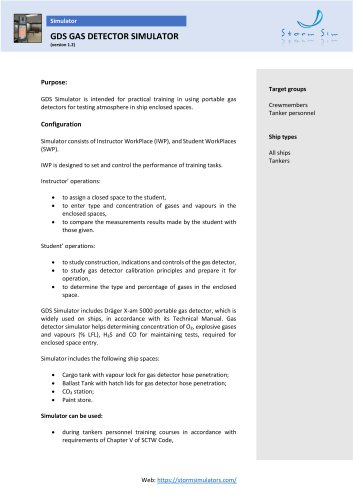 GDS Gas Detector Simulator
10 Pages
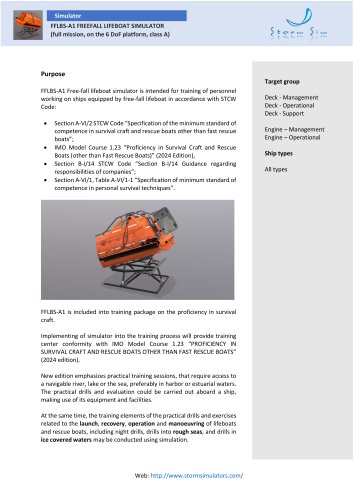 FFLBS Training Simulator
11 Pages
 SCS Small Craft Simulator 2024
10 Pages
 GMDSS General operator ELM
3 Pages
 Able Seafarer Deck
3 Pages
 Ship's cook training
2 Pages
 Various ELM 06 COLREG
3 Pages
 Various ELM 05 Use of AIS
3 Pages
 AFFELM
2 Pages
 GMDSS_02
3 Pages
 GMDSS_01
33 Pages
 X-Ray Introscope Simulator
3 Pages
 SRV Survival craft simulator
3 Pages
 GMDSS Simulator GM Trainer
33 Pages
 SCS Simulator version 3-0
3 Pages
 SSH Steering Simulator
4 Pages
 Shiphandling basics
3 Pages


- Ship software
- Nautical navigation software
- Ship simulator
- Training simulator
- Nautical navigation simulator
- Training software
- Communication software
- GMDSS simulator
- Harbor software
- Multimedia software
- Radar simulator
- Radio simulator
- VHF simulator
- Windows software
- Web-based software
- Boat simulator
- ARPA radar simulator
- Bridge simulator
- Rescue boat simulator