
- Catalogs
- Ningbo Shanbei Technology Co.,Ltd
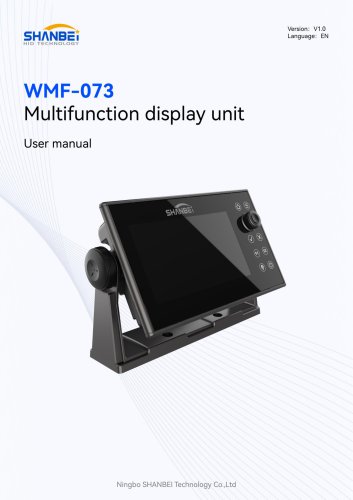
- WMF-073_Multifunction display unit_User Manual_EN_V1.0

WMF-073_Multifunction display unit_User Manual_EN_V1.0
1 /16Pages
WMF-073_Multifunction display unit_User Manual_EN_V1.0
1 /16Pages
Catalog excerpts

User manual Ningbo SHANBEI Technology Co.,Ltd
Open the catalog to page 1
Warning: Before using this product, please refer to the important safety information in the user manual and review all warnings, limitations and disclaimers. This product is no substitute for proper training and careful seamanship. Proper installation and proper use of the equipment is the responsibility of the owner to avoid accidents, personal injury or property damage. The user of this product is solely responsible for compliance with maritime safety practices. The owner is solely responsible for installing and using the equipment in a manner that will not cause accidents, personal injury...
Open the catalog to page 2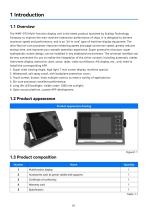
The WMF-073 Multi-function display unit is the latest product launched by Scallop Technology Company to improve the man-machine interaction performance of ships. It is designed to achieve maximum speed and performance, and is an "all-in-one" type of maritime display equipment. The ultra-fast six-core processor improves rendering speed and page conversion speed, greatly reduces startup time, and improves your smooth operation experience. Super protective structure, super hydrophobic screen design, can be installed in any shipboard environment. The universal interface can be very convenient for...
Open the catalog to page 4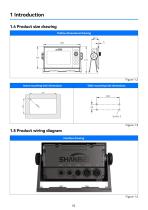
1.4 Product size drawing
Open the catalog to page 5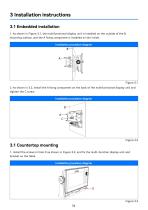
2. As shown in 3.2, install the A fixing component on the back of the multifunctional display unit and tighten the C screw. 1. Install the screws in hole D as shown in Figure 3.3, and fix the multi-function display unit and bracket on the table.
Open the catalog to page 9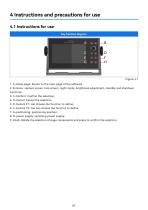
1. A-Home page: Return to the main page of the software 2. B-menu: capture screen, lock screen, night mode, brightness adjustment, standby and shutdown functions; 3. C-Confirm: Confirm the selection; 4. D-Cancel: Cancel the selection. 5. E-Custom FI: can choose the function to define; 6. F-Custom F2: You can choose the function to define; 7. G-positioning: positioning position; 8. H-power supply: switching power supply; 9. Knob: Rotate the selection of page components and press to confirm the selection.
Open the catalog to page 10
This product has been put into operation since the use, basically no fault, with our statistics, the after-sales problem is basically due to wiring errors, resulting in normal use, in addition, there is no technical fault. Customers in the use of the process, if you find technical problems, please promptly communicate with our technical personnel.
Open the catalog to page 11
6.1 Safety protection devices and precautions 1. In the important position of this product, the fastening seals have been processed before leaving the factory, and shall not be disassembled without permission. If the seals are damaged, any product quality problems will be borne by the buyer. 2. Once the product fails to operate normally, please stop using and disconnect the power supply immediately, and contact our after-sales service engineer for a solution. 6.2 Troubleshooting procedures and methods 1. In the process of use, there is an unsolvable fault problem, contact our after-sales service...
Open the catalog to page 12
7.1 Daily maintenance and maintenance In the daily non-use state, attention should be paid to the maintenance of this product. Through maintenance, maintenance can improve the service fife of the product, the specific maintenance and maintenance methods are as follows: 1. Wipe the surface of the product regularly with a dry rag to ensure that the outside of the product is clean and tidy. 1. Stop using the device when there is a problem with the multifunctional display unit. Contact our after-sales engineer. 2. Failure to operate in accordance with the regulations resulting in product failure...
Open the catalog to page 13
Physical damage to the product caused by violent shaking and collision should be avoided during transportation. Room temperature, dry, cool environment. The warranty period of this product is 12 months from the date of receipt of the goods by the buyer. Based on the date of receipt of documents for express delivery or the date of receipt of invoice.
Open the catalog to page 14
9.1 Phone number of the after-sales engineer Manufacturer: Ningbo SHANBEI Technology Co., LTD Address: A2-902, R&D Park, High-tech Zone, Ningbo Postal Code: 310001 Tel: (0574) 87182781 Fax: (0574) 87182781
Open the catalog to page 15
For more information, please visit: www.shanbei-tech.com Ningbo SHANBEI Technology Co.,Ltd Add: 902 Area A, R&D Park, High-tech Zone, Ningbo, Zhejiang, China Tel: 0574-87186781 /18067343163
Open the catalog to page 16All Ningbo Shanbei Technology Co.,Ltd catalogs and brochures
 Product catalogue
36 Pages
- Analog indicator
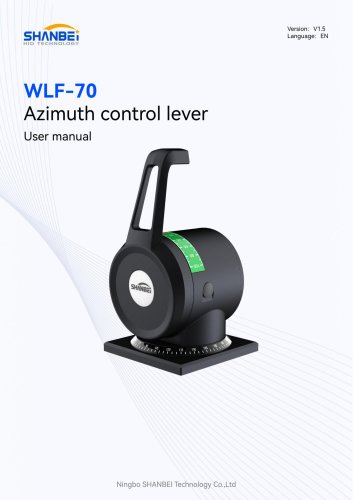
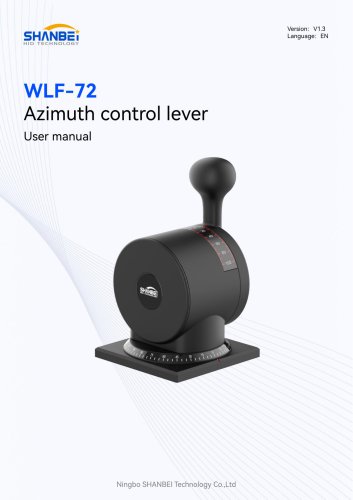
- Shanbei Technology control lever
- Steering compass
- Shanbei Technology engine control lever
- Boat steering compass
- Ship sensor
- Boat control lever
- Shanbei Technology digital control lever
- Built-in steering compass
- Mechanical control lever
- Shanbei Technology single-lever control lever
- Multi-lever control lever
- Digital indicator
- Shanbei Technology surface-mount control lever
- Shanbei Technology ship control lever
- Ship indicator
- Motor indicator
- Ship joystick
- Rudder angle indicator
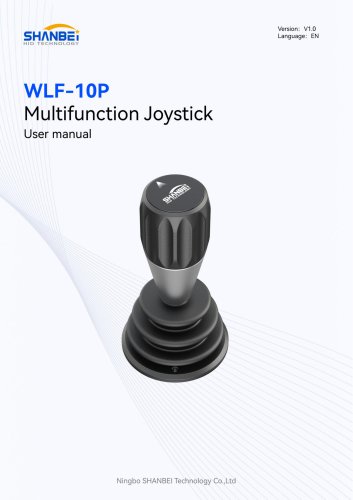
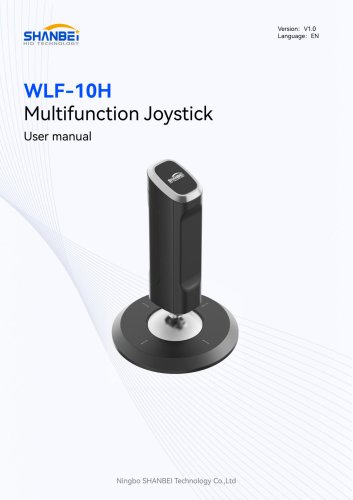
- Multi-function joystick