

- Products
- Catalogs
- News & Trends
- Exhibitions
FMD-3005
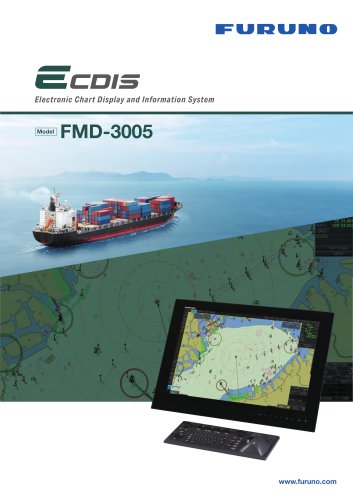
FMD-3005
Catalog excerpts

Compatible with multi-function display Smooth chart drawing and Intuitive operation. Monitor Unit Chart Materials True Motion Relative Motion Own Ship Data Target Tracking Presentation (TT: ARPA, AIS) Cursor Alarm Information Position Calculation Navigation Planning Route Monitoring User Chart Creation Ease of installation and maintenance thanks to simplified cabling in the sensor-to-ECDIS/Radar interface delivered by common sensor adapter The sensor adapters act as central medium to gather all the sensor data and collectively feed it to ECDIS and Chart Radar in the system. Since the sensor adapters can be extended to cover all the sensors within the system, individual cablings in the sensor-to-ECDIS/Radar interface can be greatly reduced. MC-3000S/3010A/3020D/3030D Navigation sensors can be directly interfaced with the ECDIS processor’s 8 serial I/O ports. Sensor adapters are required under the following conditions: • The sensor data is to be shared amongst multiple networked ECDIS and Radar systems, • The number of sensors interfaced is more than the number of the ports the processor has (8 serial I/O ports, 1 digital IN and 6 digital OUT), and/or • The networked sensors include analog sensors. In order to integrate onboard sensors into the navigation network, the sensor adapter may be interfaced with the inteligent hub HUB-3000 from which distribution of the sensor data throughout the network is possible. Alternatively, multiple sensor adapters may be interfaced via Ethernet to integrate onboard sensors for use in the shipboard network. 1 port, Ethernet 100 Base-TX LAN Serial 8 ports, IEC 61162-1/2 (4 ports), IEC 61162-1 (4 ports) Contact 1 port for power fail, normal close or normal open Closure 3 ports/unit, -10 to +10V or 0 to 10V, 4 to 20 mA, selectable Analog Input 8 ports/unit, normal close or open, selectable Digital Input 8 ports/unit, normal close or open, selectable Digital output IMO A.694(17), IMO MSC.191(79), IMO MSC.232(82), IMO MSC.302(87) WUXGA (Selectable from 27”/19” Furuno monitor) Display Modes SENSOR ADAPTER ELECTRONIC CHART DISPLAY AND INFORMATION SYSTEM Product Name Contact Closure Control and Serial Input IMO/IHO S57 edition-3 ENC vectorized material (IHO S-63 ENC data protection scheme), ARCS rasterized material, C-MAP CAES and CM-93/3 vectorized materials North-up, Course-up North-up, Course-up, Route-up, Heading-up Own ship's mark/trip and numeral position in lat/lon, speed and course Range, bearing, speed, course, CPA/TCPA Target information from AIS (AIS Object information from AIS transponder) POWER SUPPLY Processor Unit Sensor Adapter Monitor Unit EBL, VRM, parallel index lines Waypoint, route monitoring and several alarms Navigation by result from external position sensor Dead reckoning with gyro and log Data from gyro, log, and position sensors to be fed to mathmatical filter to generate highly accurate position and speed Planning by rhumb line, great circle, Chart alarm, SAR composition, Optimize Off-track display, waypoint arrival alarm, shallow depth alarm 100,000 points max. (amount of 5 files max.) Position, and other data at time of man overboard can be recorded and displayed upon pressing the MOB button on the screen 2 ports DVI-D (Video signal from DVI No.1 and No.2 is identical) 1port DVI-D or analog RGB (conning display or VDR selectable) 3 ports, Ethernet 1000 Base-T (1 port is for FAR-3xxx only) 4 ports, USB 2.0 type-A 2 ports, RS-232C/RS-485 for brilliance control 8 ports, IEC61162-1/2 (4 ports), IEC61162-1 (4 ports) Sentences: (IN) ABK, ACN, ALC, ALF, ALR, ARC, CUR, DBT, DPT, DTM, ETL, GGA, GLL, GNS, HBT, HCR, HDT, HTD, MTW, MWV, NRX, NSR, OSD, PRC, RMC, ROR, ROT, RPM, RRT, RSA, THS, TLB, TRC, TRD, TTD, TTM, VBW, VDM, VDO, VDR, VHW, VTG, XDR, XTE, ZDA (OUT) ABM, ACK, ACN, ALC, ALF, ALR, ARC, BBM, DDC, EVE, HBT, HTC, OSD, RRT, RTE, VBW, VDR, VSD, WPL, XTE 1 port, ACK signal input 6 ports: 1 port for system fail, 1 port for power fail, 2 ports open and 2 ports close Ambient Temperature -15˚C to +55˚C Relative Humidity 93 % or less at 40˚C Processor Unit Sensor Adapter IP20 (IP22: option) Degree of Protection Intelligent HUB Control Unit IP22 Vibration IEC 60945 Ed. 4 Standard 1 Processor Unit EC-3005 2 ECDIS Control Unit RCU-024 or Trackball Control Unit RCU-026 (specify when ordering) 3 Standard Spare Parts and Installation Materials Option 1 Monitor Unit MU-270W 2 Sensor Adapter: MC-3000S Control Serial MC-3010A Analog MC-3020D Digital IN MC-3030D Digital OUT 3 Trackball Control Unit RCU-026 4 Intelligent Hub HUB-3000 5 AC/DC Power Supply Unit PR-241 6 Installation Materials from 27”/19” Furuno monitor) ** Up to 8 EC-3005 Processors can be interfaced through single HUB-3000. Trackball Control Unit Analog MC-3010A (3 ports) Digital IN/OUT MC-3020D/ 3030D (8 ports each) Navigation Sensors Gyrocompass AIS transponder GPS NAVTEX Wind Indicator Echo Sounder Speed Log Water Temp. Sensor etc. Option or connectable equipment Sensor Adapter 1 unit 1 unit 1 unit 1 set * Please consult with your nearest distributors for details of the connectable analog Radar models. Sensor Adapter Control Unit Conning Display Analog Radar* ECDIS, Chart Radar control unit EC-3005** INTERCONNECTION DIAGRAM Monitor Unit EQUIPMENT LIST Sample system configuration Electronic Chart Display and Information System ENVIRONMENTAL CONDITION Beware of similar products Sensor Adapter AIS Anemometer Echo sounder transponder All brand and product names are registered trademarks, trademarks or service marks of their respective holders.
Open the catalog to page 1
Use of a new user interface system enables PC manipulation and consistent operation ECDIS Control Units Press “VRM 1” and “VRM 2” to activate/deactivate respective VRM; and rotate the rotary encoder to adjust active VRM. For acknowledgement of alerts generated. Rotate to select items within the InstantAccess barTM; and press to confirm the selection of the item. InstantAccessBarTM USB port for charts update, import/export, WP/routes, user setting. Trackball Module Trackball module consists of four parts, each of which has the following functions: trackball: to move the cursor and select an object...
Open the catalog to page 2All Furuno catalogs and brochures
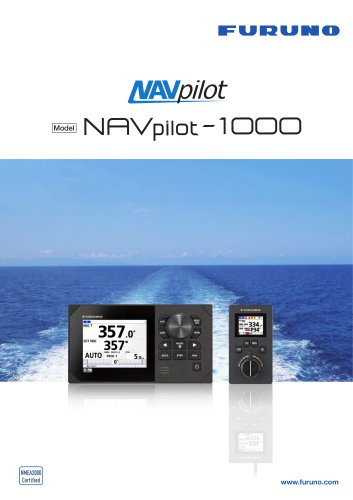 NAVpilot-1000
6 Pages
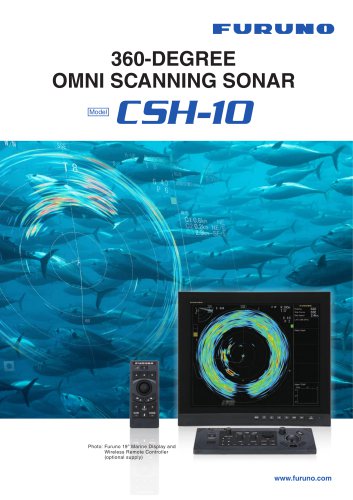 CSH-10
12 Pages
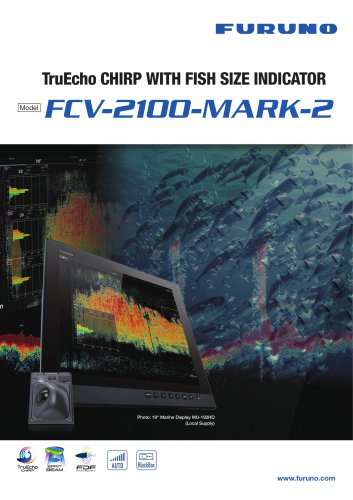 FCV-2100-MARK-2
6 Pages
 FCV-689
4 Pages
Archived catalogs
 FCV-588
6 Pages
 FCV-628
6 Pages
 DFF-3D
4 Pages
 GP-1871F
4 Pages
 GENERAL CATALOGU
12 Pages
 Time Synchronization
4 Pages
 FCV-688
4 Pages
 FCV-1900
4 Pages
 FCV-1900G
4 Pages
 FCV-2100
6 Pages
 NAVnetTZtouch 2
20 Pages
 3D Sonar Visualizer
8 Pages
 FSV-75
6 Pages
 CH-500
6 Pages
 CH-600
6 Pages
 CSH-5L MARK-2
4 Pages
 FSV-35/35S
10 Pages
 CSH-8L MARK-2
4 Pages
 DFF-30
4 Pages
 F3 Series
6 Pages
 CI-68
CI-684 Pages
 CI-88
CI-884 Pages
 WV-100
4 Pages
 FAR-22x8-BB series
6 Pages
 1815
18154 Pages
 FR-8065/8125/8255
4 Pages
 FAR-1416/1426
4 Pages
 FAR-1513-BB/1523-BB
4 Pages
 FAR-15x8 series
6 Pages
 FAR-23x8 series
8 Pages
 FAR-22x8 series
8 Pages
 FAR-3000 series
8 Pages
 NavNet TZtouch3 series
24 Pages
 GP-3700/3700F
4 Pages
 GP-39
GP-394 Pages
 GP-170
4 Pages
 SC-33
SC-334 Pages
 SC-130/SC-70
4 Pages
 SCX-20/21
6 Pages
 SC-70/130
4 Pages
 NAVpilot-300
4 Pages
 GP-1871F/GP-1971F
4 Pages
 DS-85
DS-852 Pages
 GS-100
4 Pages
 FMD-3200/FMD-3300/FMD-3200-BB
10 Pages
 FE-800
4 Pages
 FMD-3100
4 Pages
 VR-7000/7000S
4 Pages
 FA-40/70
4 Pages
 FA-170
4 Pages
 FM-4800/FM-4850
2 Pages
 RC-1800T
4 Pages
 FAX-30
4 Pages
 FV-110
2 Pages
 FV-110GX
2 Pages
 FV-60GX
2 Pages
 FI-70
FI-704 Pages
 RD-20/RD-50
4 Pages
 LH-5000
2 Pages
 AR Navigation System
6 Pages
 FCV-295
4 Pages
 M 1623
2 Pages
 AUTOPILOT NAVpilot-300/711C
6 Pages
 FCV-600/FCV-800
6 Pages
 FSS-3BB
8 Pages
 DFF1-UHD
1 Page
 FCV-38
8 Pages
 NX-300
2 Pages
 WS 200
2 Pages
 MU 150 hd / 190 hd
2 Pages
 FI 50
FI 504 Pages
 FA 30
FA 306 Pages
 RD 33
RD 332 Pages
 KU-100
2 Pages
 FELCOM250/FELCOM500
2 Pages
 FAX 408
2 Pages
 FM-4000
2 Pages
 Model CH-300
4 Pages
 Model CH-250
4 Pages
 Modell LS--4100
2 Pages
 Navnet TZ Touch
10 Pages
 ECDIS
ECDIS4 Pages
 CURRENT INDICATOR
4 Pages
 NAVTEX
2 Pages
 RADAR
RADAR2 Pages
 SATTELIT COMMUNICATION
4 Pages
 GPS
GPS2 Pages
 V SAT
V SAT4 Pages
 ALARM
ALARM2 Pages
 WEATHER STATION
2 Pages
 WEATHER FAX
2 Pages
 AIS
AIS2 Pages
 SSAS
SSAS2 Pages
 fleetborband FELCOM 250/500
4 Pages
 LOAD HEILER
2 Pages
 VSAT KU-BAND
4 Pages
 VR-3000S
4 Pages
 Sonar
Sonar4 Pages
 Sounder
2 Pages
 Navpilot
2 Pages
 Compass
2 Pages
 Navnet
10 Pages


- Boat monitoring and control panel
- Radio
- Furuno sonar
- Boat screen
- Nautical boat radio
- Nautical VHF radio
- Multi-function screen
- Multi-purpose instrument
- Fixed multi-purpose instrument
- Boat display
- Boat combo
- Digital display
- Ship control panel
- Chart plotter multi-purpose instrument
- Furuno boat sonar
- Digital sonar
- Color multi-purpose instrument