
- Catalogs
- C Security Systems AB
- C-pod Lite 2022


C-pod Lite 2022

C-pod Lite 2022
- Download the mobile app "C-pod Lite".
- Use the app to scan the QR code, register an account, and enter contact information.
- Start the C-pod Lite by pressing the button inside the device.
- Remove the label or protective film and install the device.
Following these steps will help you avoid waiting 6 hours for the first update.
Support Information:
- For support, contact Teclo srl at Tel: +39 686 50 51 06 or Email: [email protected].
- Additional support is available on the website www.c-pod.com.
- For further information, you can also contact Marine Assistance at Tel: +33 547 74 81 25 or Email: [email protected].
Catalog excerpts

Se si vuole evitare di attendere 6 ore per il primo aggiornamento segui le istruzioni sottoelencate nell’ordine corretto 1. Scarica l’APP “C-pod Lite” 2. Utilizza l’APP “C-pod Lite” per scansionare il QR code, registra un account e inserisci I contatti 3. Avvia il “C-pod Lite” tramite il pulsante situato all’interno del dispositivo 4. Rimuovi l’etichetta / la pellicola protettiva e installa il dispositivo Per ricevere supporto contatta Teclo srl. Tel: +39 686 50 51 06
Open the catalog to page 1
Thank you for buying the C-pod Lite. Read the quick guide on the other side.
Open the catalog to page 2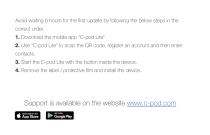
Avoid waiting 6 hours for the first update by following the below steps in the correct order. 1. Download the mobile app “C-pod Lite” 2. Use “C-pod Lite” to scan the QR code, register an account and then enter contacts. 3. Start the C-pod Lite with the button inside the device. 4. Remove the label / protective film and install the device. Support is available on the website www.c-po
Open the catalog to page 3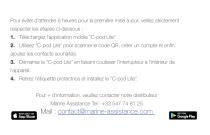
Pour éviter d’attendre 6 heures pour la première mise à jour, veillez strictement respecter les étapes ci-dessous : 1. Téléchargez l’application mobile “C-pod Lite” 2. Utilisez “C-pod Lite” pour scanner le code QR, créer un compte et enfin ajoutez les contacts souhaités. 3. Démarrez le “C-pod Lite” en faisant coulisser l’interrupteur à l’intérieur de l’appareil. 4. Retirez l’étiquette protectrice et installez le “C-pod Lite”. Pour + d’information, veuillez contacter notre distributeur Marine Assistance Tel : +33 547 74 81 2
Open the catalog to page 4All C Security Systems AB catalogs and brochures
 C-pod Elite 2022
4 Pages
 C-pod Catalog 2022
12 Pages
 C-pod Product Sheet
2 Pages
 C-pod ELite Product Sheet
2 Pages
 C-pod Lite Product Sheet
2 Pages
Archived catalogs
 Quick Guide C-pod Lite
4 Pages
 Quick Guide C-pod Elite 2022
4 Pages
 C-pod Catalog_2021
12 Pages
 Product Catalog 2019
10 Pages